
Site Mapper
The easiest way to map, plan, and manage your infrastructure
The easiest way to map, plan, and manage your infrastructure
No Limitations. No Saving or Loading Needed, Site Mapper is Database Persistent. Runs in a Web Browser on any device, anywhere. Welcome to the Digital Revolution of MAPS, object tracking, and updating. Create a Site. Associate a Map. Create ANY type of Visual Object. Device, Asset, Infrastructure, or Object. PLOT IT, TAG IT, MOVE IT, DRAW IT, DRAG IT, DROP IT, STAMP IT ALL, INSTANTLY.
Bing. Bang. Boom.
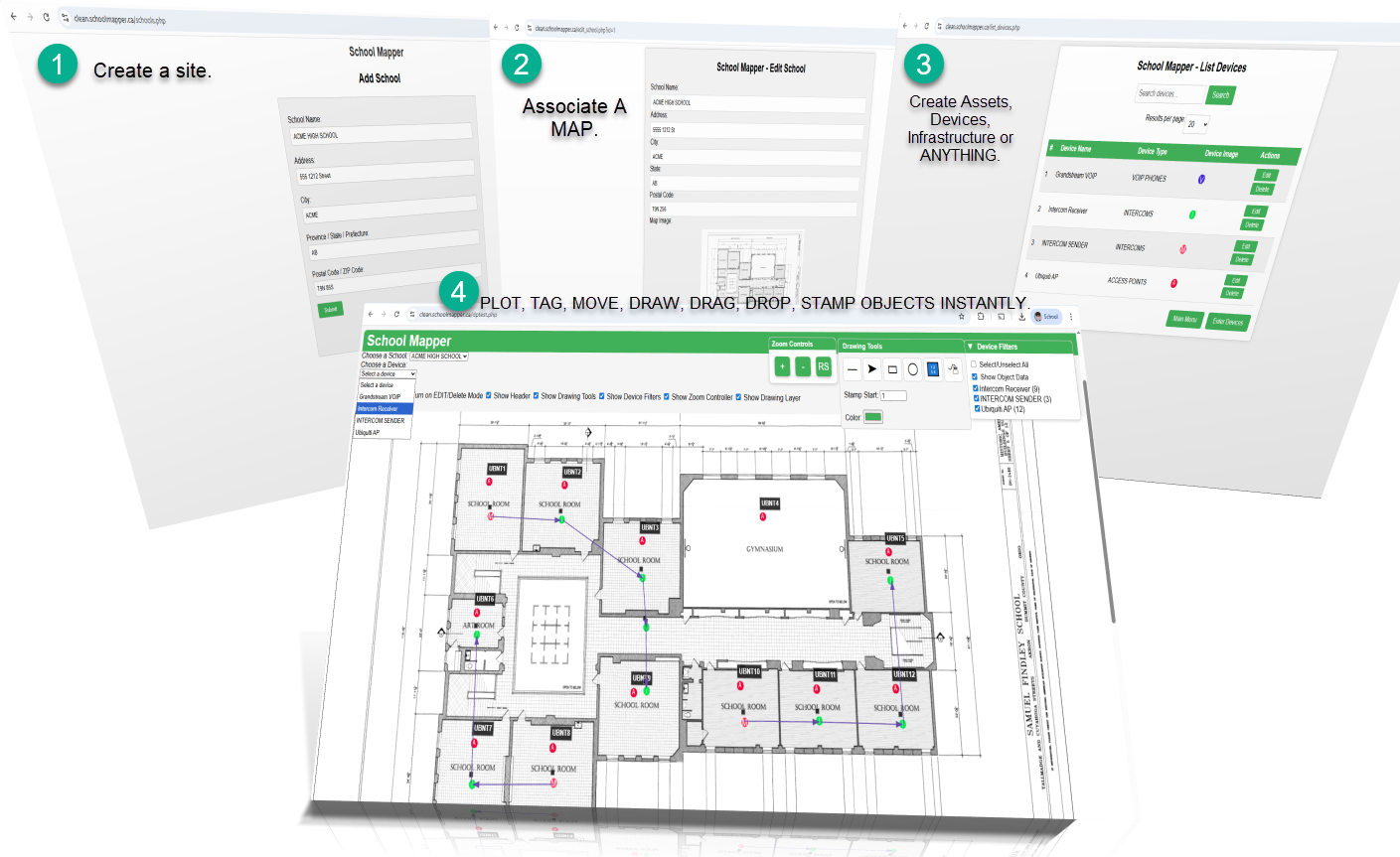
Your Maps and the locations and information for all your Devices, Assets, Infrastructure, and Objects stored centrally, digitally, and securely. Accessible from anywhere. Access them from Site Mapper anytime, anywhere, and securely. Never hunt for maps or wonder where anything your organization owns is again.

No more searching through bins for hours to find a particular map that has a specific type of data on it for your boss. Find a Site, its map, and all of its associated data instantly. It's all in Site Mapper.
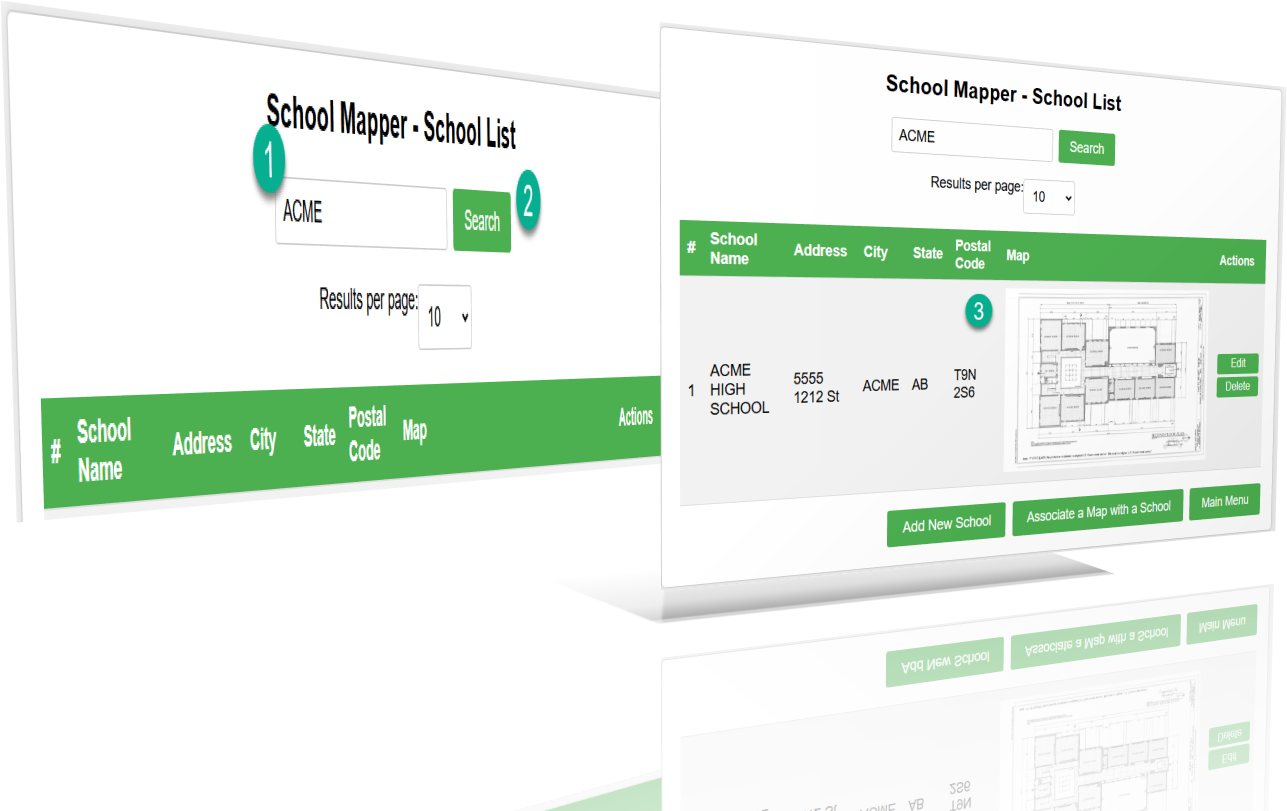
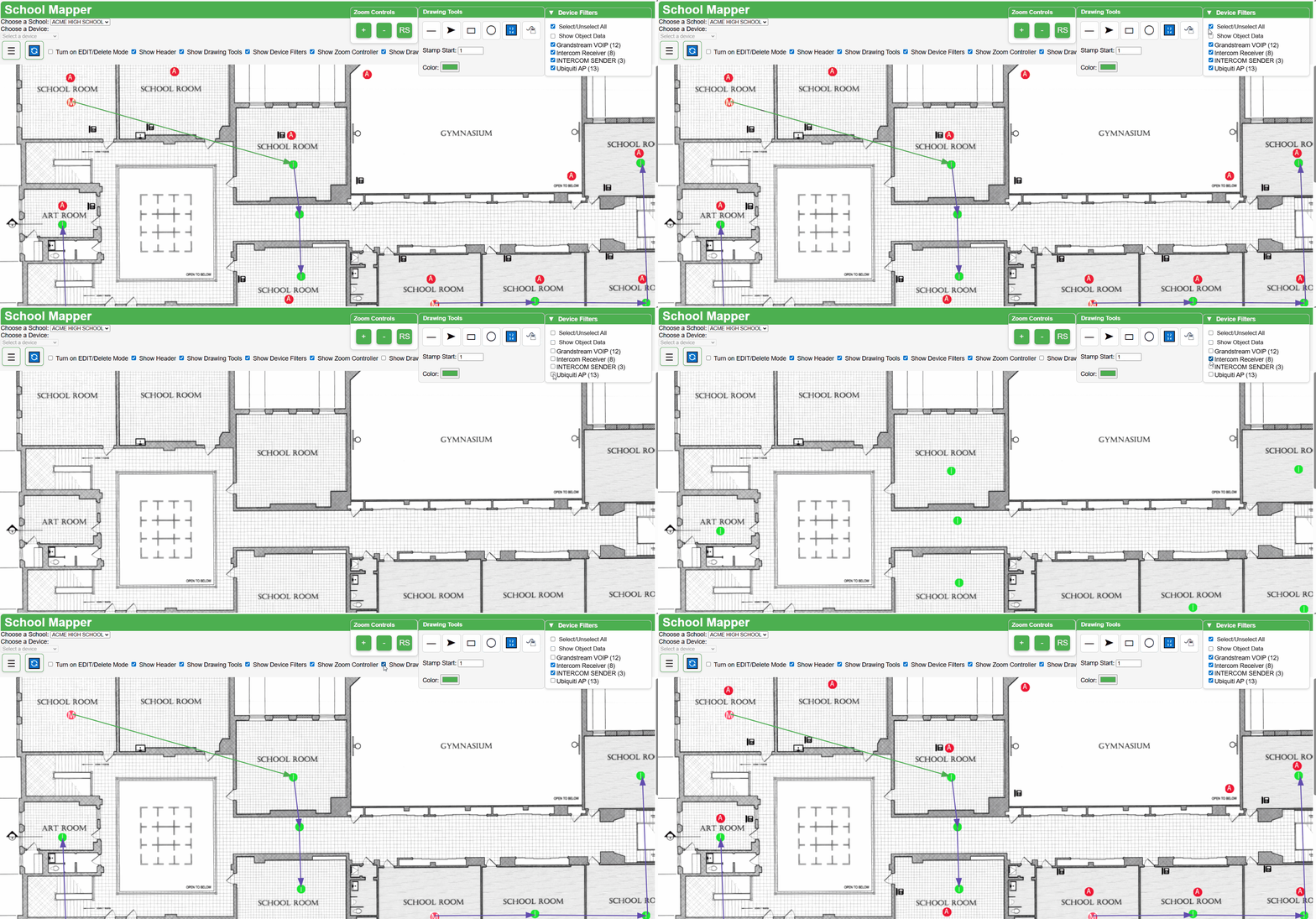
Instead, digitally put all of your Devices, Assets, Infrastructure and Objects on ONE related map, and then powerfully FILTER.
You can create as many sites and associated maps as you want with as many objects as you want, but it's easy to put all a specific site's objects on one map and then filter.
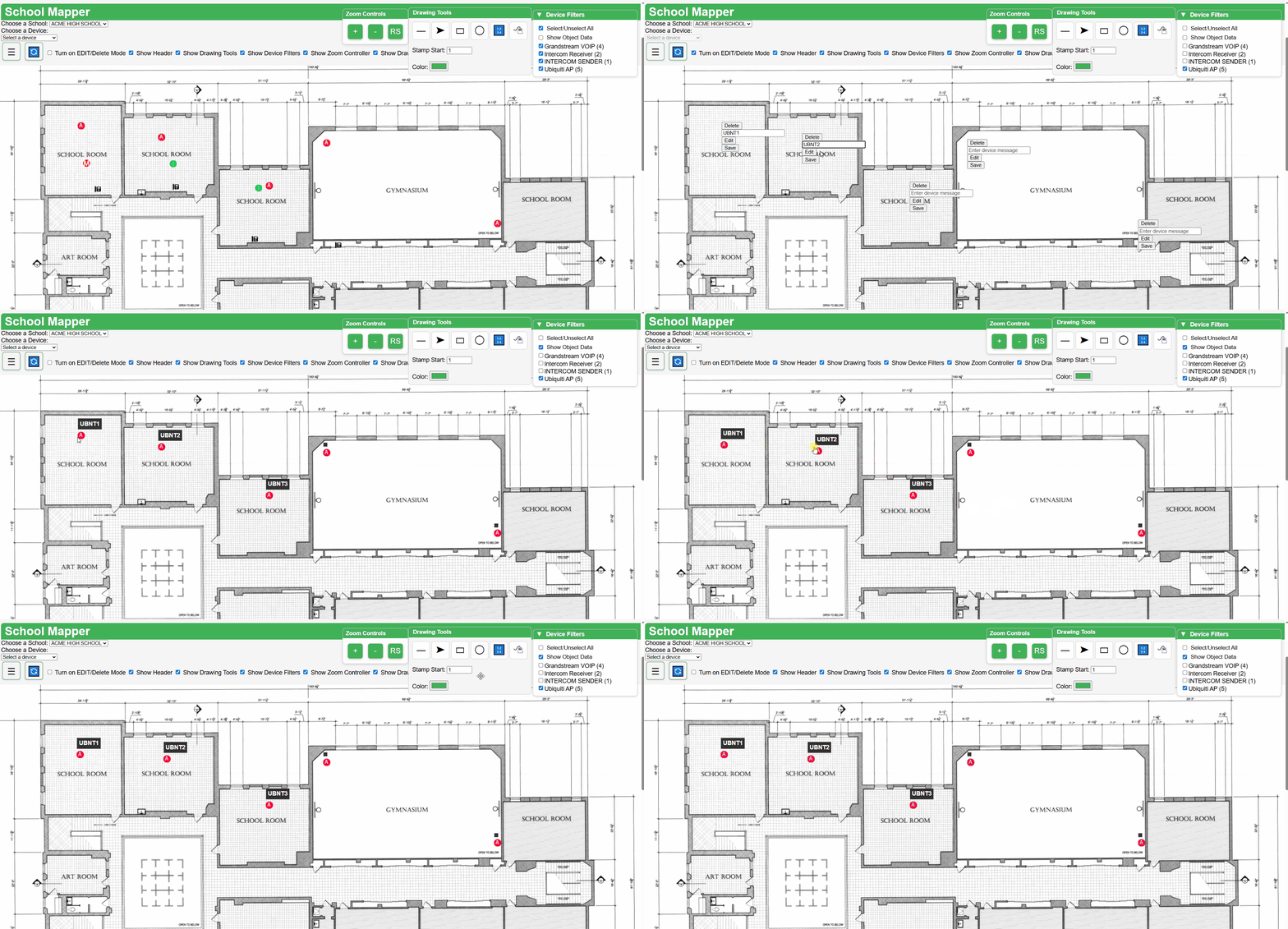
Attach and associate a message or note with ANY Device, Asset, Infrastructure or Object. The message will follow and stay with the Device, Asset, Infrastructure or Object. Filter on the device or object to easily see its message or view multiple messages at once the choice is yours. You can also view a message tagged to an object or device individually.
Dropped and plotted all of your devices, assets, infrastructure, and objects, and then realized you don't like how they look? No Problem! Go into Site Mapper's object editor, update your object, and BAM! That object is instantly updated on all maps!
(No matter how many copies, and no matter how many maps)
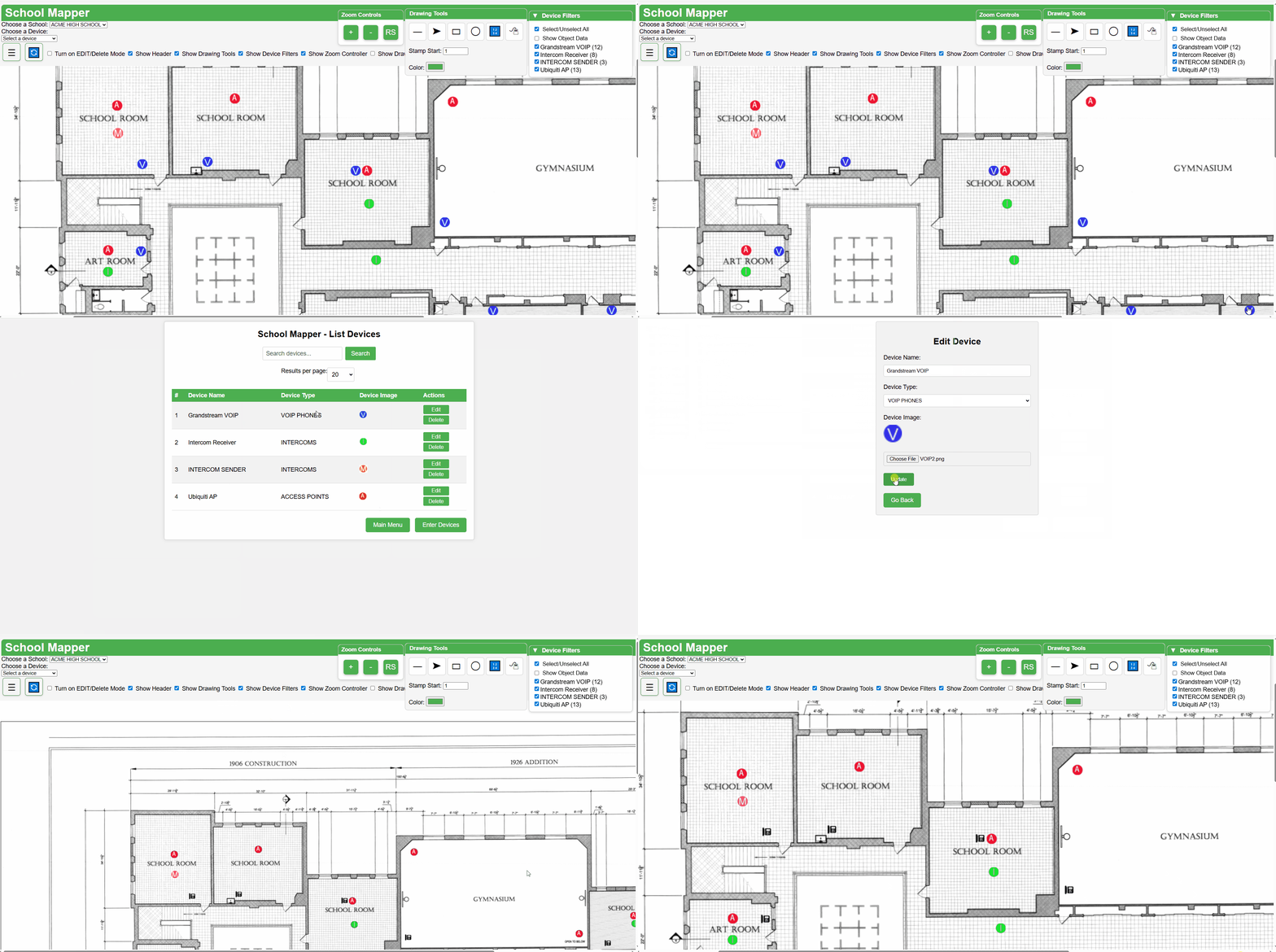
Zoom in and out of your map for precision control over object placement and drawing while plotting. Our Zoom controls retain aspect ratio and proper scale for objects and maps, using our special Map container technology.
Zoomed too far in or out? Want to quickly move back to the 2200x1700 Map aspect ratio? No Problem! Just hit the RS (Reset) button, and Site Mapper will quickly reset back to its standard aspect ratio.
Site Mapper has powerful drawing and stamp tools. Draw and stamp your maps as much as you desire with no content limitations. Stamp tools are auto incremental, and you can start from any number you want. The drawing tools are intuitive and you can delete any shape, line or arrow with ease. Connect and create visual relationships between your devices, assets, infrastructure and objects.
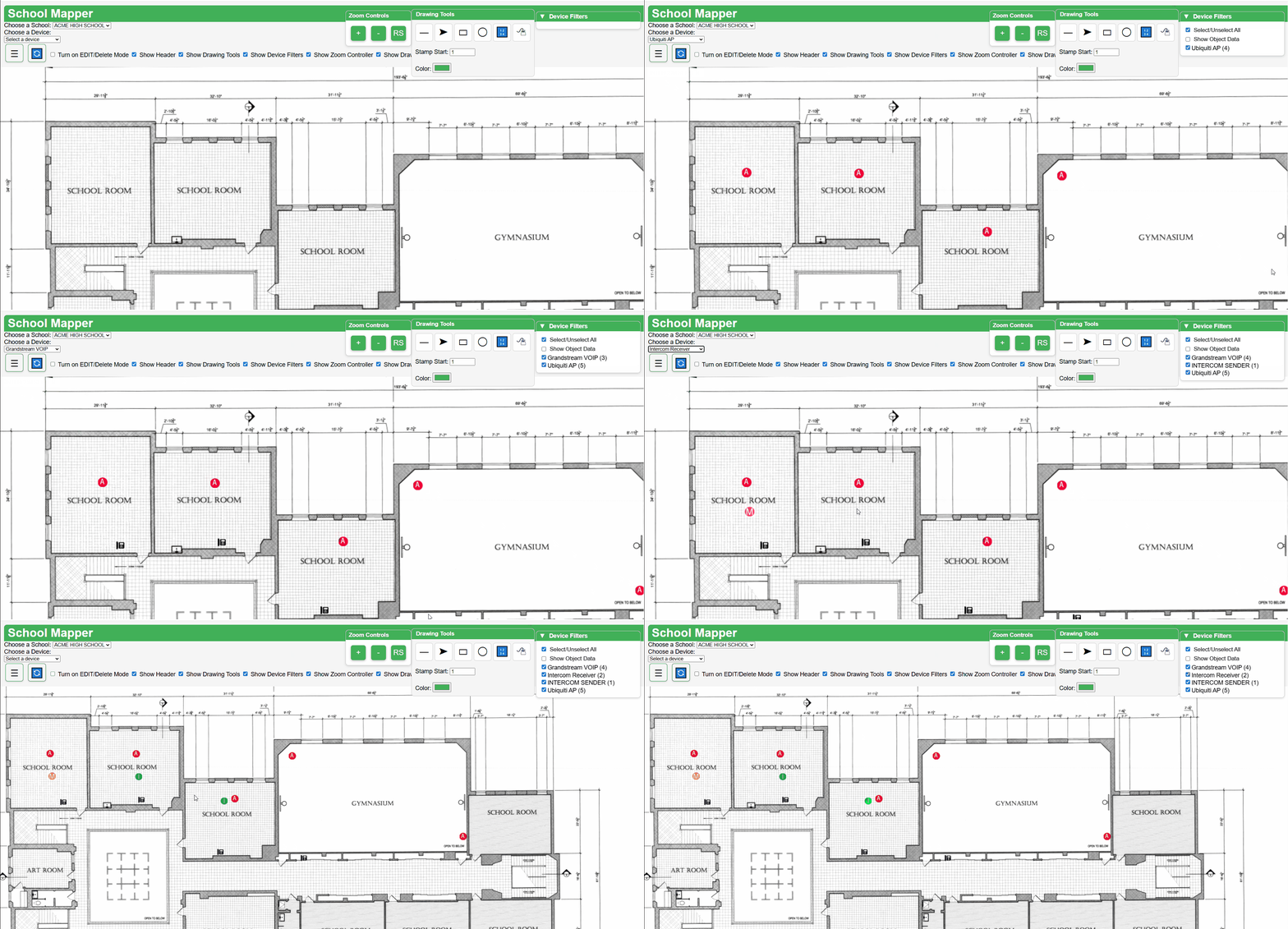
Let Site Mapper dynamically count and keep track of your Devices, Assets, Infrastructure and Objects. Site Mapper will dynamically count your objects for you as you add, move and delete them. No more wondering if you counted correctly.
Later, pull dynamic graphs and reports, that have all of your devices by device and device type, with graphs of what percentage you have of each Device, Asset, Infrastructure or Object. You can easily filter and generate a custom dynamic report to meet your needs.
Site Mapper supports Google Workspace, Google Education and Local user login. For security purposes and a clean looking login interface, Site Mapper can easily customize the type of user login you want your users to see. Allow Google and Local Logins, or Google Logins only.
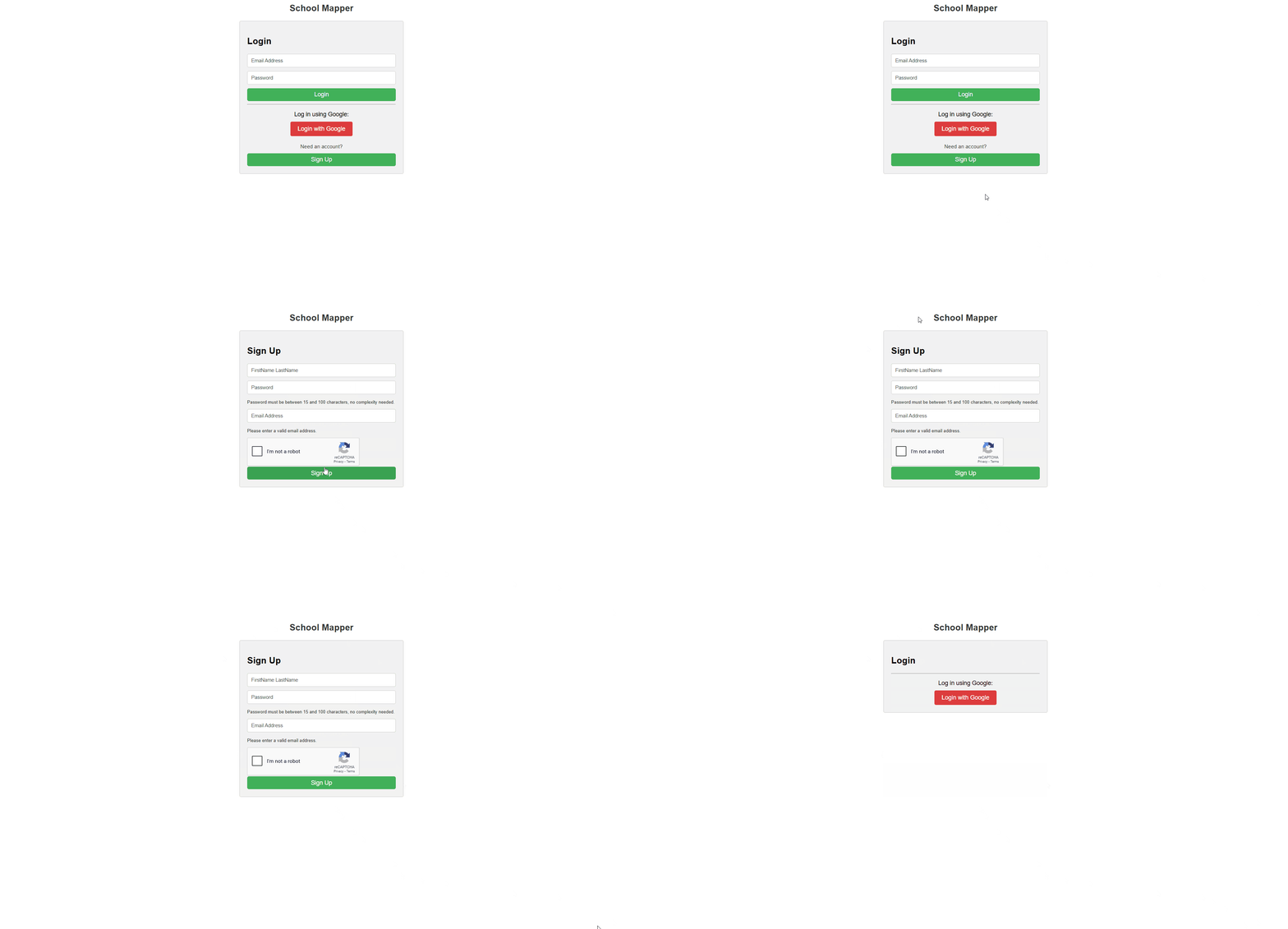
Site Mapper has a built-in Security System that divides roles so that not everyone has access to everything:
Administrator, Object Editor, Plotter, Viewer, No Access
What an employee to only view and filter on a map? No problem! Want someone to create objects and plot? No Problem! Want someone to plot your available Devices, Assets, infrastructure, or objects but not create them? No problem!
Keep your data secure, clean, and organized with Site Mapper's role-based system.
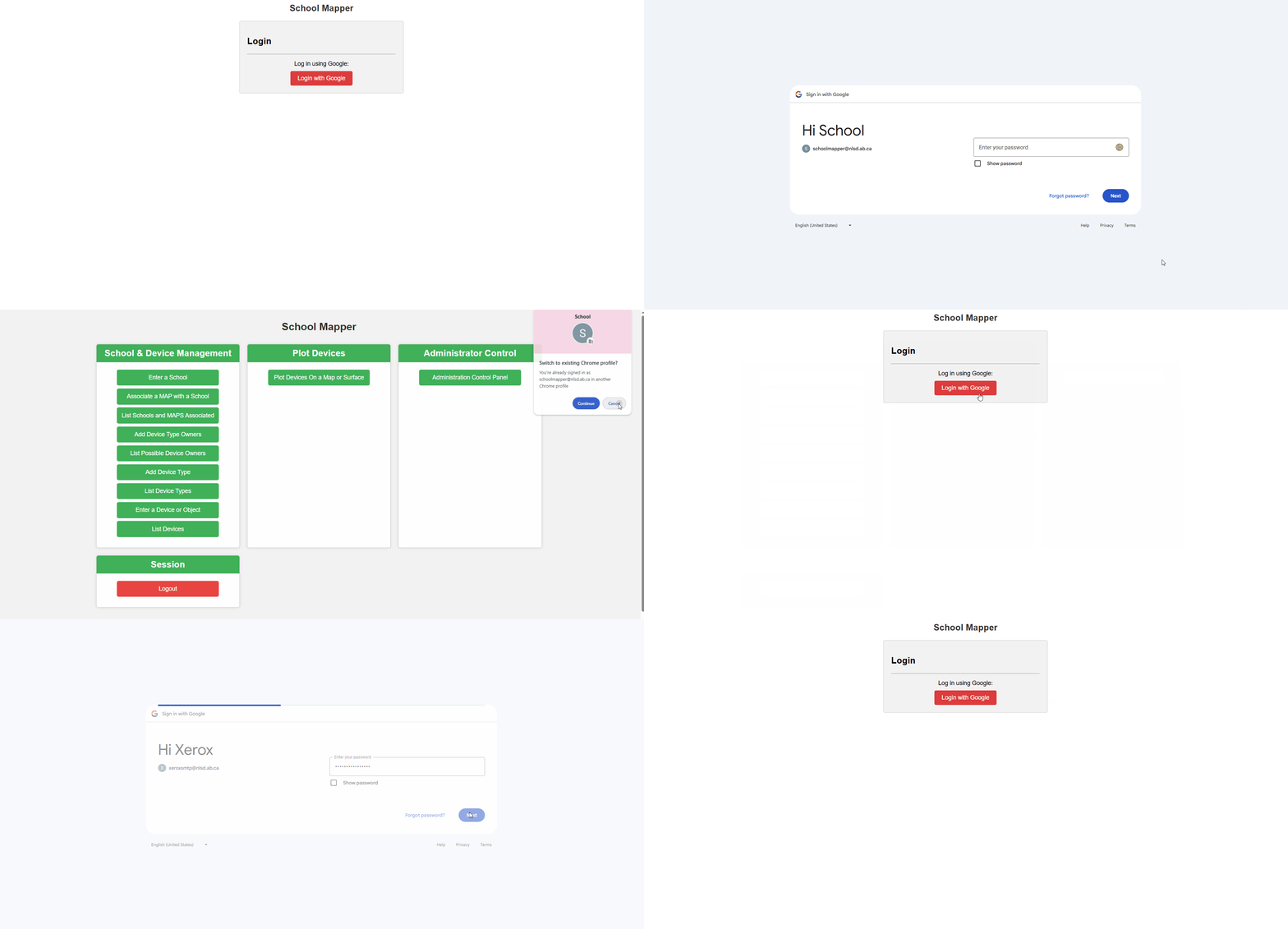
Site Mapper supports extra security on top of our sophisticated role-based system. We support a Dynamic and Secure IP Black and Whitelisting system. Once the dynamic IP Whitelisting system is turned on, Site Mapper blocks ALL external IPs trying to access Site Mapper and ONLY allows approved or whitelisted external IPs and networks to access Site Mapper. If the approved whitelisted IP becomes an issue just remove it from the Site Mapper system and that IP and or Network will be instantly banned.